New program asks for a name (up to 80 characters, unique within the folder), the dialogue language, the aspect ratio, and your choice of presenter, scene, and outfit.Aspect ratios: 21:9, 16:9, 4:3, 1:1, 3:4, 9:16. The default is 16:9.
Choose 15 seconds or 30 seconds per segment — those are the only two options — and optionally add an instruction such as “keep it conversational”.Re-split generates the segments, each with dialogue, an action, an estimated duration, and a tone.From here you can edit any line of dialogue, split a segment in two at the cursor, add a segment below, and delete segments. Tags can be added, and Suggest tags proposes some.
Re-splitting replaces every existing segment, including dialogue you have edited by hand. WJI warns you before it does.
Generate voiceover for one segment or for the whole selection
Listen back, switch between takes in the voiceover history
Approve the ones you are happy with
Each segment can override the program’s tone and speech rate. Tone offers eight options: serious, composed, warm, cheerful, energetic, dignified, brisk, and conversational. Speech rate runs from -50 to 100, where 0 is normal speed.
Change the model, duration, motion, resolution, and reference images per segment
Upscale a result
Approve it
Duration defaults to the voiceover length plus one second, with a five-second floor. Motion offers still, natural, active, and animated — all of them keep the presenter blinking naturally.
A segment cannot be given video until its voiceover exists. The status shows missing voiceover until you generate it.
Bulk generation opens a progress dialog that confirms first, then reports each segment as it finishes. It cannot be closed while it is running.
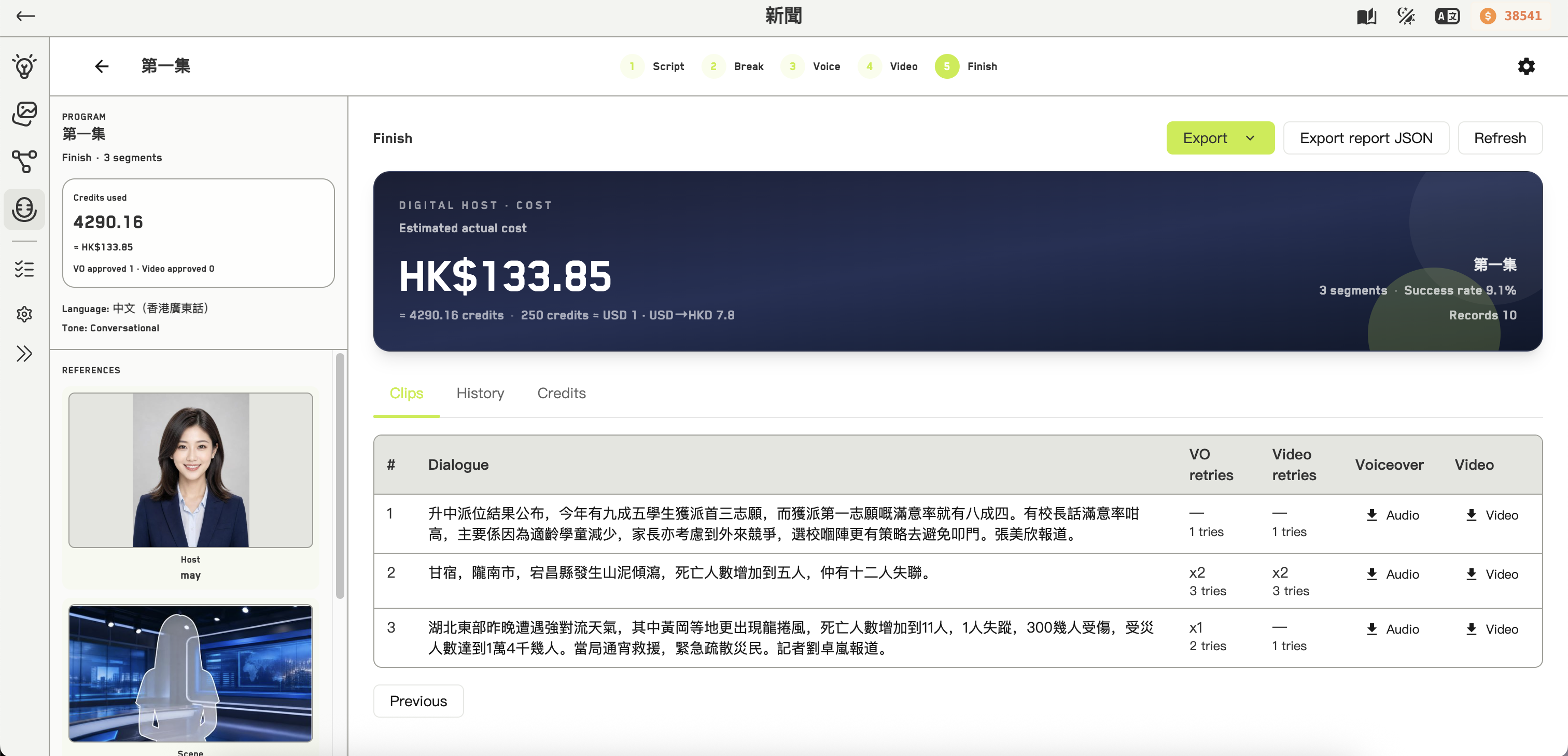
Video statuses: approved, generating, missing voiceover, failed, generated, no preview, pending. A retry counter appears on segments you have regenerated.There is no automatic retry — press generate again yourself.
Failed generations are still charged, and are included in the program’s cumulative credit total. The credit report’s success rate counts failures and retries in its denominator, which is why it can look low on a program that eventually came out well.