

Creating an invitation
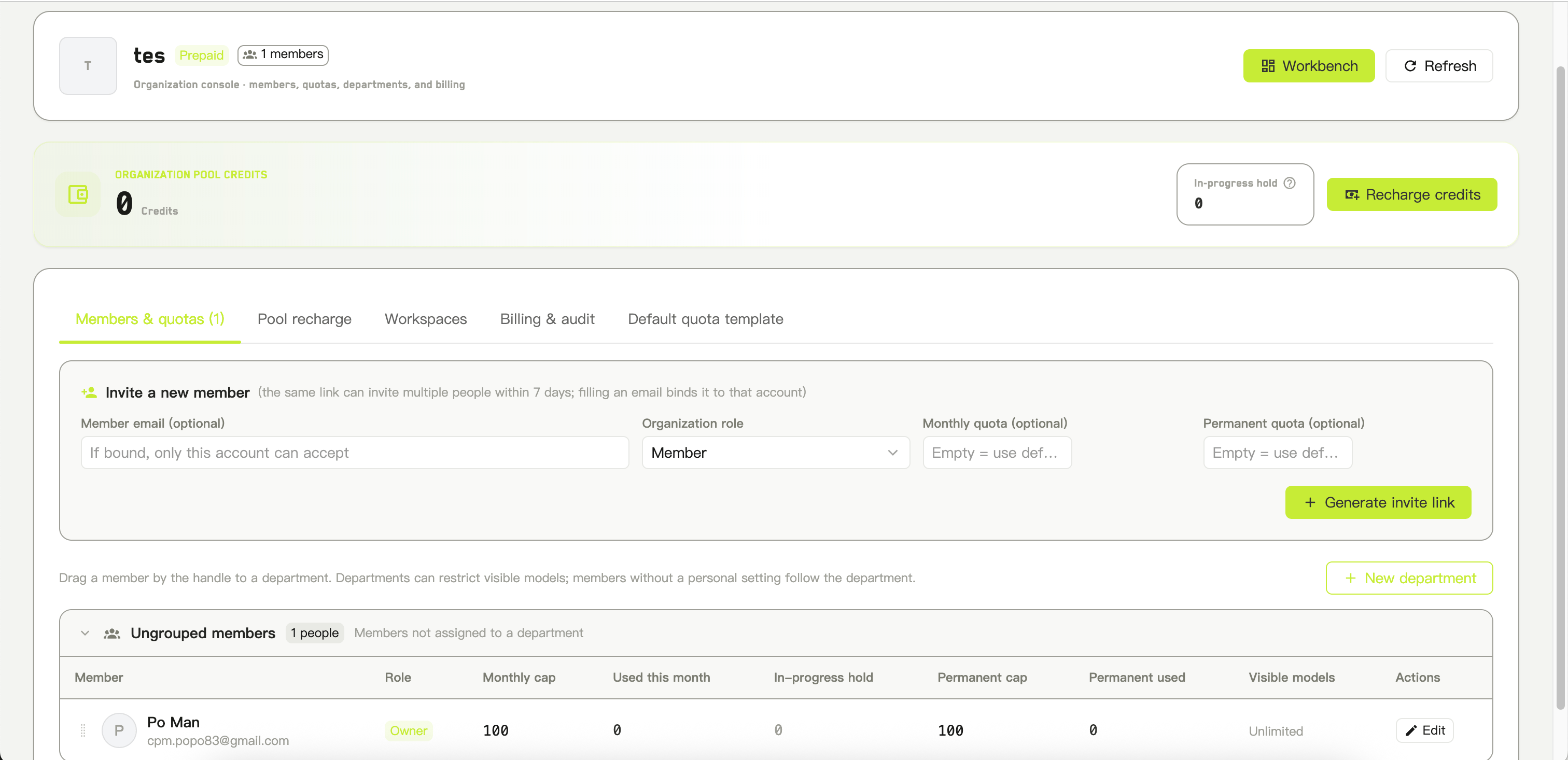
Creating an organization invite
Click Generate invite link. The link is copied to your clipboard immediately.
How invitations behave
- They are valid for 7 days, and this cannot be changed
- They can be used by more than one person until they expire
- An organization can have any number of invitations open at once — creating a new one does not cancel earlier ones
- They cannot be revoked. If a link needs to stop working, you have to wait for it to expire
What the invited person sees
The invitation page shows the organization’s name, the role they are being given, and the monthly and permanent limits assigned to them. Buttons offer to accept and join, or to decline and return to their workspace. They have to be signed in. If they are not, they are sent to sign in and returned to the invitation afterwards. Accepting switches them into the organization straight away. Common refusals: the invitation does not exist, has expired, has been used up, the email does not match their account, or they are already a member.Someone who was previously removed and then accepts a new invitation is restored, with the role and limits from the new invitation.
Removing someone
From the member row’s⋯ menu, choose Remove from organization.