

Creating one
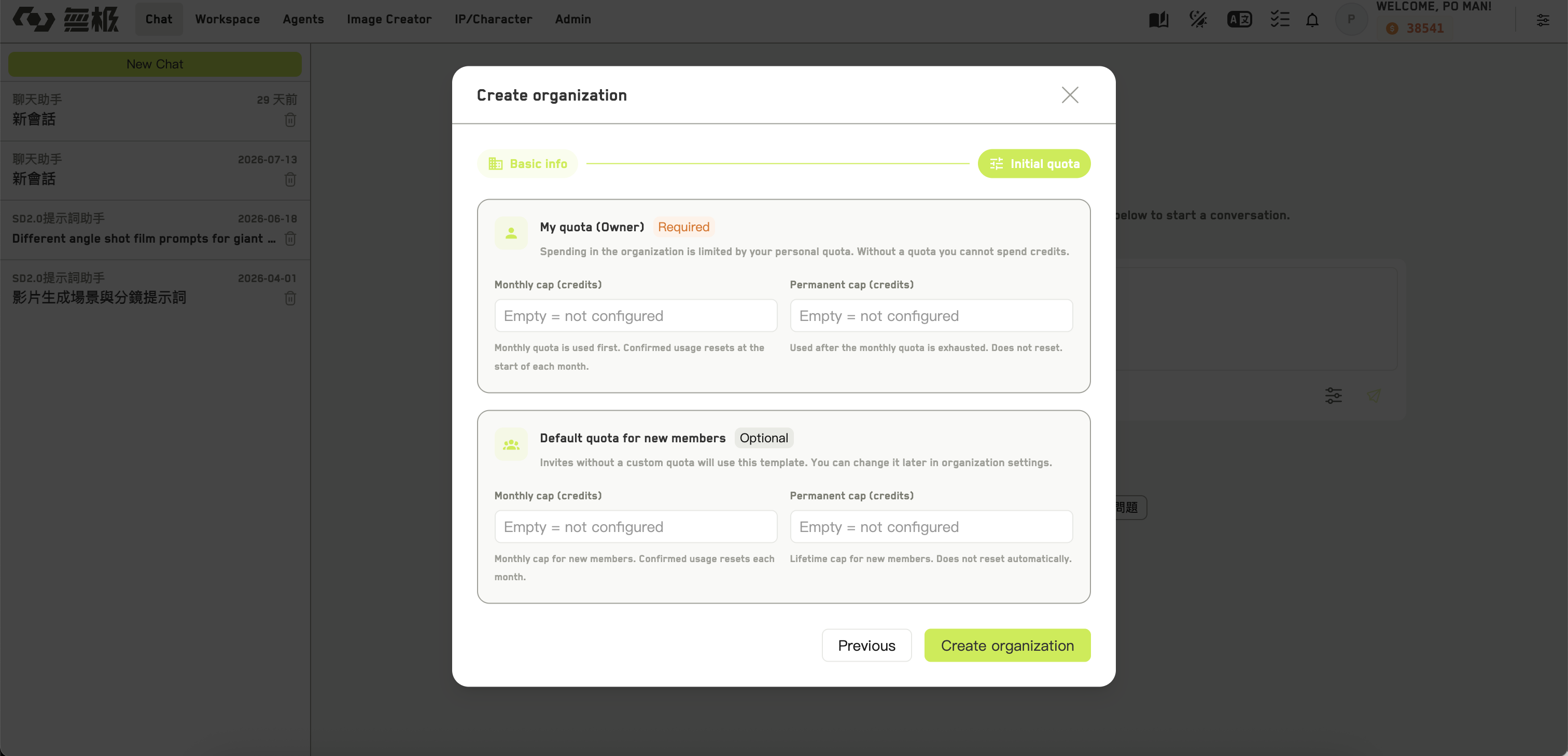
Setting your own limit when creating an organization
Not every account can create an organization. It requires either administrator rights or a specific permission on your account. If you do not see the option, ask your administrator.
1
Basic information
Just the organization name.
2
Initial limits
Your own limit as owner — a monthly limit, a permanent limit, or both. At least one is required, otherwise you will not be able to spend anything inside your own organization.Optionally, a default limit template for new members.
Prepaid and postpaid
An organization runs in one of two modes, shown as a tag at the top of the console:
Postpaid organizations cannot top up themselves — that is arranged with the platform.
What is not possible
- You cannot rename an organization or give it an avatar after creation
- Members cannot leave an organization on their own; an admin has to remove them
- Individual members cannot be suspended, only removed
- You cannot disable or delete an organization yourself
Switching context
How to move between your personal space and an organization, and what changes when you do.