

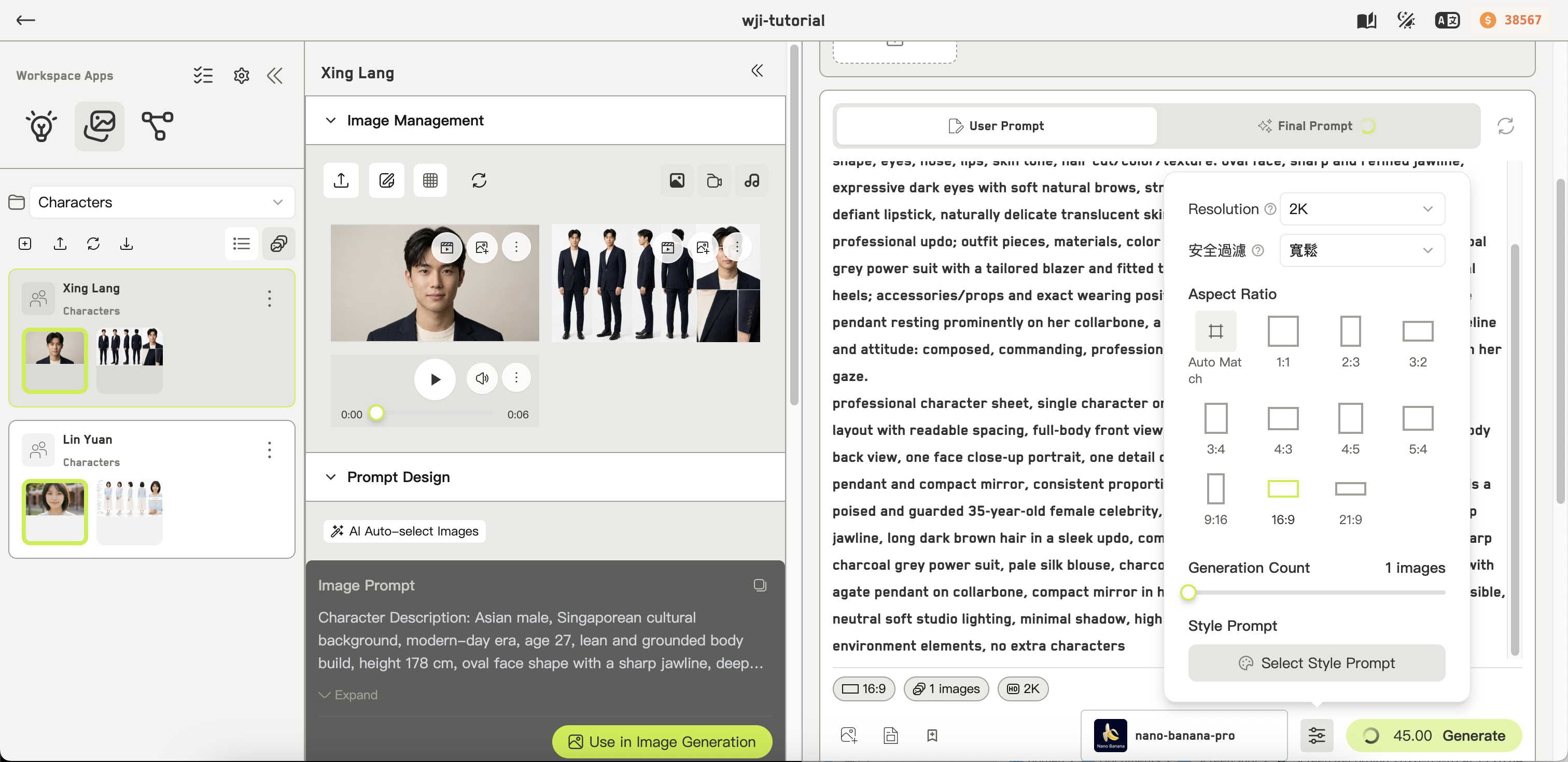
The generation settings popover
Settings you will see most
Auto match is a valid aspect ratio choice on some models — it matches the input image rather than forcing a shape.
Seed
When a model exposes a seed, it appears as a tag on the main form.-1 means unspecified, so the model picks its own.
The seed is what makes a result repeatable. If you get an image that is nearly right, note its seed from the history card — clicking the seed tag copies it — and reuse it while you adjust the prompt.
Model-specific settings
Everything else in the popover is generated from the model definition and changes as you switch models. Each control has a tooltip explaining what it does. Common ones:- Resolution and output format
- Chaos — variety, 0 to 100
- Quality
- Image weight and style reference weight on Midjourney-family models
- Raw mode and HD