

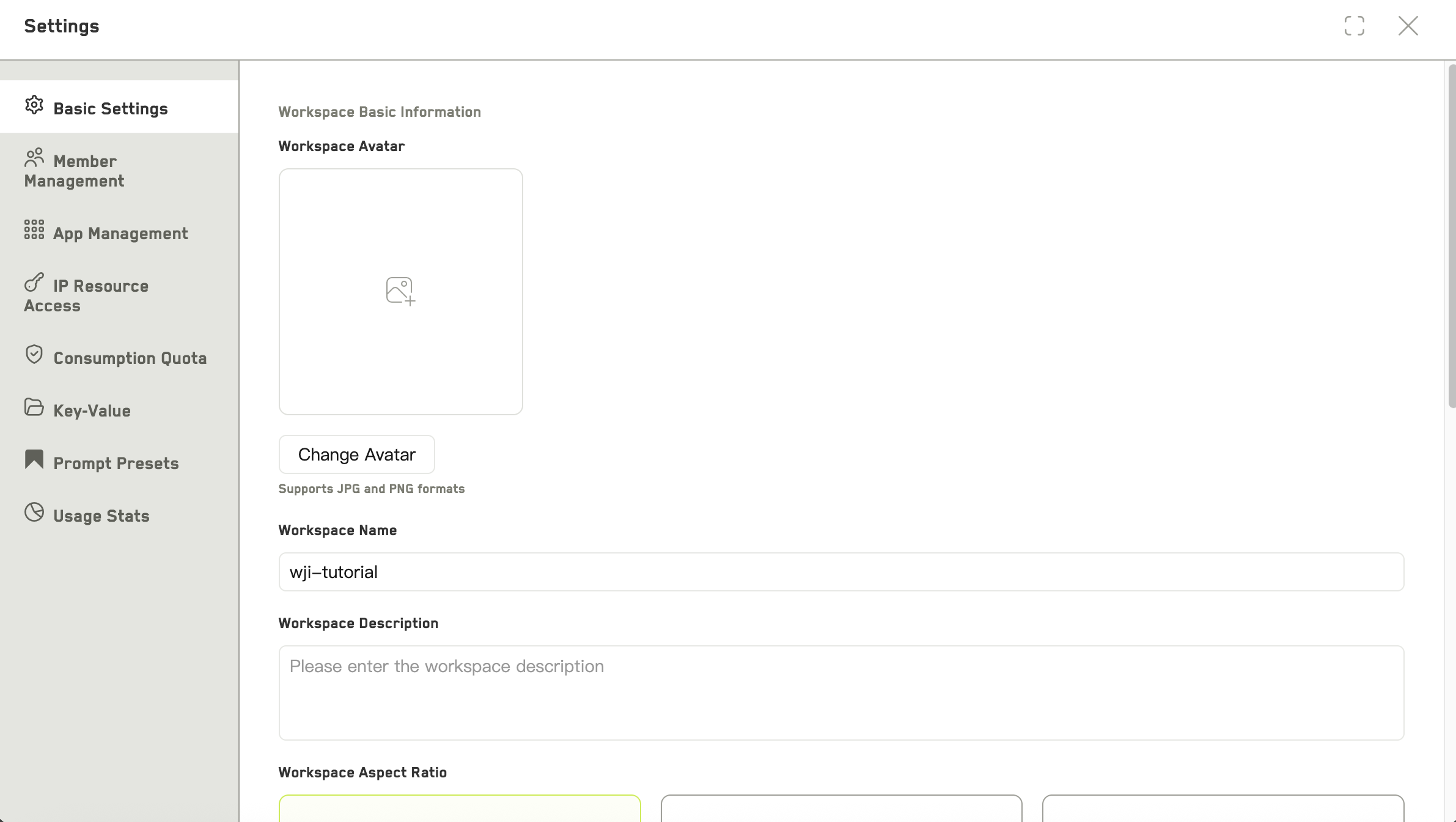
Workspace settings
Basic settings
Everyone in the workspace can open this tab.- Avatar — upload a JPG or PNG cover image
- Name and description
- Aspect ratio — 16:9, 21:9, or 9:16
- Dialogue language
- Default app — which app the workspace opens into
- Default image, video, and storyboard models
App management

App management
Removing an app hides it from the left panel. The content it holds is not deleted.
Members
Add people, change roles, transfer ownership, and manage the invite link. See Members and permissions.Resource access
Two tabs — Marketplace and Granted — for requesting access to shared asset libraries. You can include a reason with a request. Each request shows as pending, approved, rejected, or cancelled.Spending limit
Requires permission to manage the workspace. Set a total spending cap and a monthly cap in credits for this workspace. Useful when you want a project to stay inside a budget without watching it constantly.Key-value
A small store of key-value pairs scoped to this workspace. Add, edit, and delete entries. AI can reference these values, which makes it a convenient place for facts you repeat often — a series name, a fixed set of terminology, a client’s requirements.Prompt presets
Prompt presets saved for this workspace. You can add one, import presets from elsewhere, search by keyword, and clear the filter. Presets saved here are available to everyone in the workspace.Usage stats
- Storage — total size and number of assets
- Consumption — credits, tokens, and call counts
- By member — who spent what
- By model — which models the spend went to