

Filtering
Two rows of controls:
A view toggle switches between list and grid. Audio only appears as an option when you are working in a dataset context.
What each entry shows
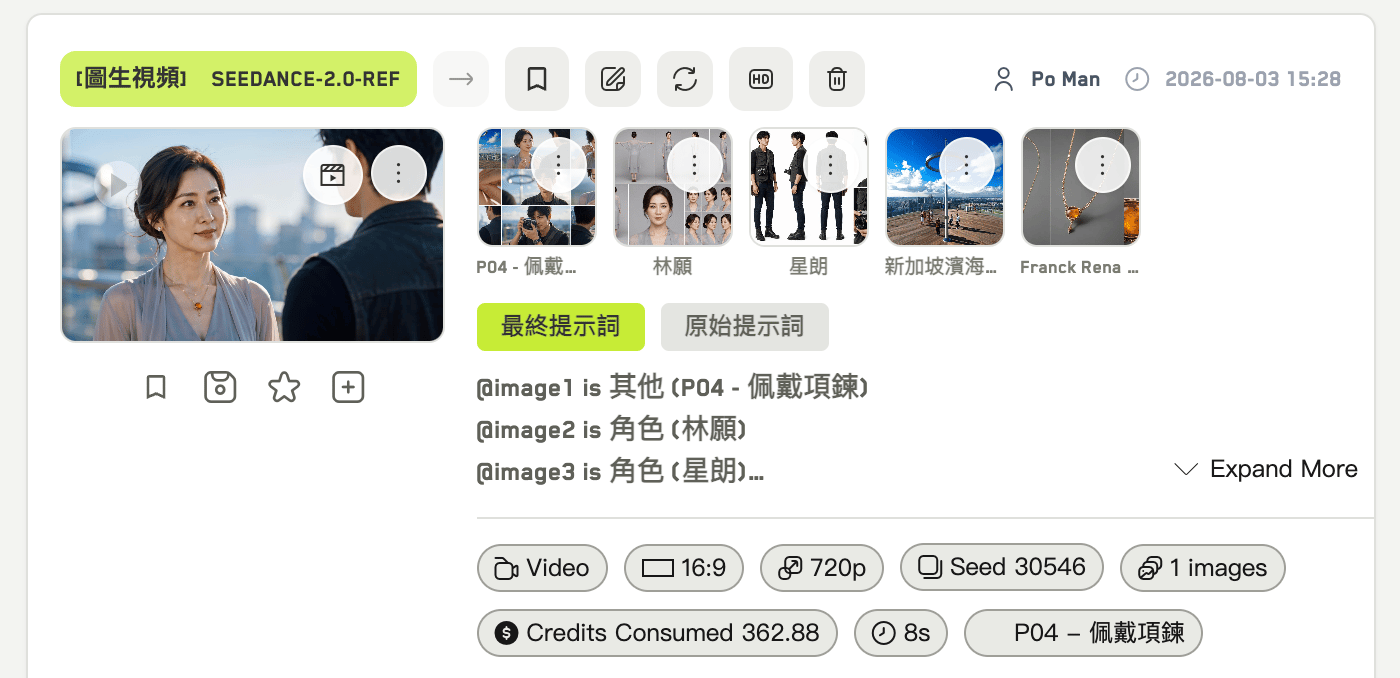
Anatomy of a history entry
- Mode, model, aspect ratio, resolution
- Seed — click it to copy
- Number of results
- Credits charged
- Duration and creation time
- The final prompt, with the original prompt expandable beneath it
- Reference thumbnails, which preview on hover
Actions on an entry
Actions on a single result
.gif?s=9db8b68f190bb02fc685092201197bd9)
The action menu on a single result
- Download
- Describe the image, video, or audio with AI
- Edit again — reconstructs the settings from the asset itself
- Add as reference image, reference video, or reference audio
- Set as first frame or last frame
- Inside a workspace: Save to Idea, Set as Idea cover, Create idea from image